Onboarding Journeys
Post-purchase customer education journeys
Post-purchase education should help a customer use what they bought.
Post-purchase education should help a customer use what they bought. Start with the product and the stage they have reached, not a fixed series of promotional emails. The first-purchase journey on this site covers the broader relationship; this guide focuses on setup, use and avoidable questions after an order.
Map the product's real sequence: order accepted, delivered or activated, first use, early difficulty and normal repeat use. A setup instruction sent before delivery may be forgotten; a basic tutorial sent after setup is complete wastes attention. Use reliable order or product events where available, and keep a sensible fallback when an event is missing.
At overview level, draw a route from order and shipping reassurance through a thank-you, useful product education and the customer’s normal repeat use. Feedback requests and community invitations can extend the flow, but the touchpoints should fit the product’s ownership path.
Teach the outcome the customer came for
Begin education with the problem that led the customer to choose the product. For software or subscription products, onboarding gets the customer up to speed so they can solve that problem, not simply introduce the interface. Keep the intended outcome visible when deciding which instructions belong in the journey.
A feature-by-feature tour can leave customers with information but no clear route to value. Instead, show how a feature contributes to the result they sought, and help them use the product effectively for that purpose.
Customers may compare a product with alternatives they see as faster, cheaper or easier. Clear education can help them use the product they chose and realise its value.
Choose formats that support learning
A post-purchase education journey need not rely on one format; customer onboarding can include welcome emails, product tours and access to a knowledge base. Give each format a clear learning purpose: an email can introduce help, a tour can demonstrate the product, and a knowledge base can provide learning material beyond a single message.
Keep the amount of information manageable. Customers need help accomplishing what they set out to do; they do not need an exhaustive account of everything the product can do at the outset. A focused explanation of a relevant feature is more useful than a catalogue of capabilities that obscures the task the customer is trying to complete.
An ecommerce flow may include order and shipping updates, thank-you emails, product education and feedback requests; some also invite customers into a community. Treat these as touchpoint options, not a mandatory checklist.
Make onboarding practical
Onboarding helps customers solve the problem that motivated them to sign up or buy, whether they are using a trial or a paid subscription. In a post-purchase journey, carry that outcome through ownership: help the buyer set up, complete a useful task and get value from normal use. SaaS and subscription businesses need customers to use a product effectively if they are to keep paying.
Review each piece of education by asking what the customer will be able to do after using it. If a tutorial only names features, add a clear connection between those features and the customer’s intended result. If the explanation covers more than the customer needs to make progress, narrow it to the relevant task and leave broader product detail for other learning material.
Give each learning format a practical job: a product tour can demonstrate a task, while a knowledge base can hold material customers may need beyond a single message. Keep the explanation tied to the intended result rather than presenting every capability at once.
Test automation and keep support routes open
Shopify Help’s marketing automations guidance covers creating and managing automations in Shopify Messaging. The exact events and suppression controls depend on the platform and configuration, so test the whole journey before relying on an automation setting.
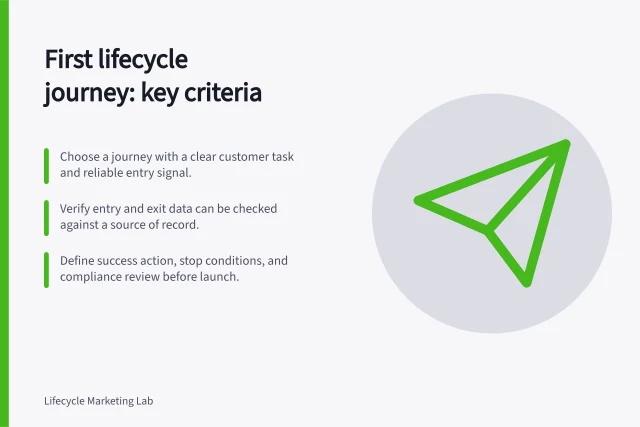
Map each stage to the order or product event that signals it, then record its message, format and fallback. Use reliable order or product events where available, and keep a sensible fallback when an event is missing.
A Customer Data Platform (CDP) can use customer insights to inform and activate journeys from one tool; Lexer is a named example of this approach.
For sequencing product education after delivery and using customer actions to stop unnecessary guidance, see the sibling article in this cluster.
For coordinating education with a likely replenishment date, see the sibling article.
For measuring whether education reduces avoidable service contacts, see the sibling article.
Keep an easy route to a human when guidance does not solve the problem.
In this guide
- Sequencing product education after deliveryThe useful order for product education follows what the customer can do now.
- Using customer actions to stop unnecessary guidanceAn education journey should stop asking a customer to do something they already did.
- Coordinating education with a likely replenishment dateEducation and replenishment answer different questions.
- Measuring whether education reduces avoidable service contactsAn education journey should reduce questions it can genuinely answer, without making help harder to reach.