Channel Orchestration
Part of Customer milestone and expansion journeys
Triggering messages after a customer reaches a milestone
Define a reliable milestone event, prevent duplicate entry and recheck customer context before each scheduled message.
Trigger a milestone message from a defined, verified event. Before sending, check that the message still fits. The event records what happened; it does not guarantee that the same message remains useful after a delay.
Define the event
Name an observable result, such as a project marked complete or a repeat order accepted. Specify the event name, customer and account identifiers, occurrence time, source system and properties the message needs.
State what counts as completion. A page view or button click should not stand in for a finished task.
Choose an authoritative source when systems disagree. If a project can be reopened, use its current reliable state. If an integration sends an event twice, a stable event or milestone identifier can prevent one occurrence from creating two journeys. Confirm how the actual messaging platform and data flow handle duplicates.
Check the message before sending
The first message can acknowledge the result and offer one relevant next step. After a team finishes its first shared project, a note about reusing the setup fits better than an unsupported claim that it needs a larger plan.
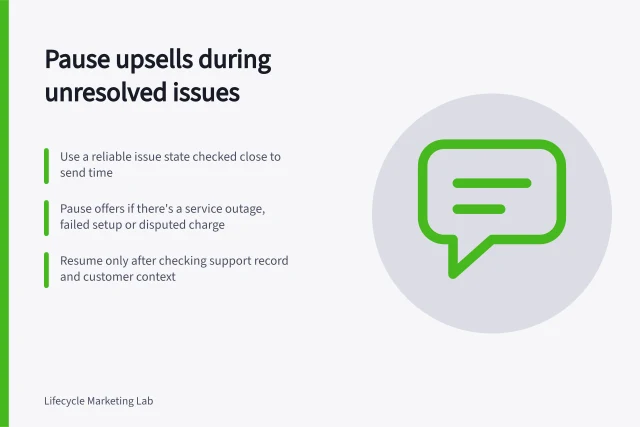
Before each send, check the account's current state, recipient eligibility, service issues and any sales handover. Cancel or replace a message if the achievement was reversed, the customer has already taken the suggested action, or an upgrade has occurred. Set an expiry for time-sensitive milestones so a delayed event does not produce a stale congratulation.
Pre-Send Validation Checklist for Milestone Messages
- Is the milestone still valid?Confirm achievement hasn't been reversed or cancelled.
- Has the customer already taken the suggested action?Verify no duplicate messaging due to prior engagement.
- Is the message time-sensitive?Set expiry to avoid stale congratulation messages.
- Is the customer eligible?Check account status, service availability, and support case status.
Set entry and exit rules together
Decide whether the journey runs once per person, once per account or once per distinct milestone. For repeatable achievements, define when a new entry is useful. Record the milestone identifier, entry time and exit reason, and stop an old path when the customer moves to a new state.
Platform settings differ. Customer.io documents frequency settings that determine whether someone can enter an automation once, re-enter after they stop matching your conditions, or enter only at fixed intervals. It also says an event must be processed after the automation is live for that event to trigger entry. These settings do not establish that another platform behaves the same way, or that every queued message receives the same eligibility check.
Review the paths
Use example histories covering an ordinary milestone, a duplicate event, a late event, a reversed milestone, an action completed during a delay and an open support issue. For each, identify the expected entry, message and exit. At rollout, inspect entry, skipped-send and delivery records against those expectations.
A useful trigger design records exactly what happened and gives each scheduled message a current reason to exist.
Key Metrics to Monitor for Milestone Journeys
- Entry rate
- Percentage of events triggering journey start
- Skipped sends
- Messages not sent due to eligibility or exit conditions
- Delivery success rate
- Proportion of messages delivered to recipients
- Exit reasons
- Breakdown of why journeys ended (e.g., reversal, action taken)