Renewal Journeys
Part of Renewal communication journeys
Working backwards from a renewal date
Plan renewal messages from the agreement’s real deadlines, account tasks and time zone, then update the schedule when contract dates change.
Find the earliest verified date that changes the customer's options, then work backwards from it to schedule renewal outreach. That may be a notice deadline, not the day a new term begins. A CRM renewal field alone may be too late or out of date.
Establish the controlling dates
Read the current agreement and amendments. Record the term end, any notice deadline and the date a renewed term would take effect. Note the applicable time zone and whether the agreement specifies a time of day. Ask the contract owner to resolve any difference between the documents and the account record.
Do not calculate a notice deadline from an assumed standard period. Terms vary and may change after an amendment. If the wording is unclear, have the contract owner interpret it before a message states a firm deadline.
Build the schedule around the decision work
Consider what the customer needs to do: identify an internal owner, review terms, obtain approval and return a decision through the agreed route. Leave time for those tasks before the controlling deadline. Send another reminder only when it adds useful information.
A planning record can include:
Field / Why it matters
- Agreement ID and current version
- Ties messages to the right terms.
- Notice deadline and its time zone
- Shows when an available option may close.
- Renewal effective date
- Shows when agreed changes take effect.
- Account owner and decision contact
- Gives questions a clear destination.
- Decision state and last verification time
- Supports a current check before sending.
These fields are a suggested checklist, not a required database design.
Recalculate when dates change
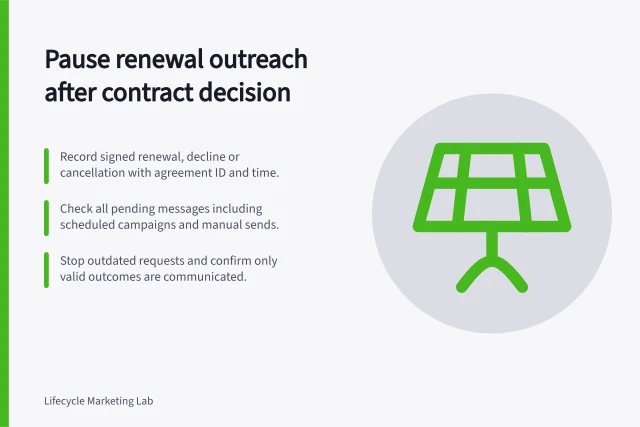
An extension, amendment or data correction can invalidate a waiting message. Review or cancel sends based on the old date, rebuild the schedule and check what the customer has already received. Check for duplicate enrolment as well as contradictory wording.
Customer.io documents important-date automation triggers based on properly formatted date attributes. Its troubleshooting guidance directs users to check whether the person matches trigger conditions, filters and frequency, and to review journey history.
Those features schedule from the data supplied; they do not establish which contractual date is correct. Behaviour in another platform or a particular account configuration must be checked there.
Handle late or uncertain records
Do not release a backlog of reminders merely because a record arrived late. If the notice deadline has passed, ask the contract owner what the agreement and current state require. If the decision is complete, send only the appropriate outcome communication. Near a deadline, review an uncertain record before making an automated claim of urgency.
Before using a schedule, review example records with an ordinary term, an amended date, an unspecified time zone and a completed decision. Inspect the resulting send times and message content in the organisation's actual setup.
Process for Handling Late or Uncertain Records
- Do not send backlog of reminders if record arrived lateWait for confirmation from contract owner
- If notice deadline has passed, consult contract ownerDetermine required action based on agreement terms
- If decision is complete, send only outcome communicationAvoid redundant messages
- Near deadline, review uncertain records before urgent claimsVerify accuracy to prevent miscommunication
- Test with example records including amended dates and missing time zonesValidate message timing and content in actual setup